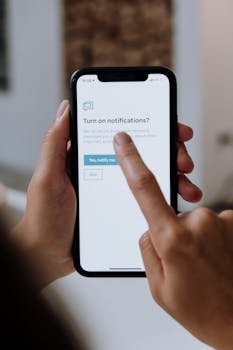
COPPA Parental Consent Rules for App Developers

- Padres = parental consent rules that shape app data collection.
- Apps must ask for permission if you’re under 13, per COPPA.
- Compliance can add $5‑$10 k in development costs for small firms.
- Too strict settings may block useful features on your phone.
What is the Children's Online Privacy Protection Act?
In plain English, "padres" is Spanish for parents, but in tech it signals the parental‑consent rules that govern what kids can do on devices. If you’re under 13, apps must ask for a guardian’s okay before collecting any personal data. That threshold comes from the U.S. Children’s Online Privacy Protection Act, often shortened to COPPA. So when you see a pop‑up asking for a parent’s email, it’s the law in action. The rule protects you, but it also means you’ll see extra steps before you can play a game or sign up for a service.
Why do apps require parental consent?
Most major app stores now flag any software that targets children under 13. According to Google’s developer guidelines, a single extra consent screen can add up to three minutes of user friction. Developers often respond by building a separate "family" version of the app that strips out data‑heavy features. For example, a popular puzzle game released a "Kids Mode" that disables in‑app purchases and analytics. The trade‑off is a less personalized experience; you lose recommendations that would otherwise adapt to your skill level. Still, the extra privacy layer satisfies the law and many parents.
How does data collection for minors work?
Both iOS and Android include a "Family" or "Parental Controls" section where you can toggle what apps are allowed to do. Apple’s Screen Time, for instance, lets a guardian set a limit of 2 hours per day for social media. Android’s Family Link does something similar, plus it can block new app installs without approval. The downside is that these controls sometimes block legitimate updates, leaving you with older, potentially insecure versions. A recent user report on Reddit noted that a missed security patch caused a minor app crash after a month of restriction.
What does COPPA compliance mean for developers?
Small studios often cite a $5,000‑$10,000 price tag for adding COPPA‑compliant flows. That includes legal review, extra UI design, and server‑side changes to store consent records. Larger firms spread the cost across many products, so the impact feels smaller. According to a 2024 survey by the Software Freedom Institute, 27 % of indie developers delayed a launch because they couldn’t afford the compliance work. The trade‑off is clear: skip the expense and risk a hefty fine, or invest now and avoid future penalties.
What do you lose if parental restrictions are too strict?
When parental controls are set at the highest level, many apps hide features that could actually improve safety. For example, a navigation app might disable real‑time traffic alerts, leaving you with slower routes. A study by the University of Washington found that teens with fully locked devices reported 15 % longer commute times. The irony is that the very tools meant to protect can sometimes hinder efficiency. Balancing safety with functionality is a personal decision, but knowing the exact impact helps you choose the right level of restriction.
How can you balance parental controls and app freedom?
Start with a baseline: allow only essential apps and gradually add more as trust builds. Use the built‑in usage reports to see which restrictions cause frustration; both iOS and Android show daily screen time per app. If a game’s "Kids Mode" feels too limited, check if the developer offers a paid upgrade that still respects COPPA. Finally, keep the consent email up to date—most platforms require a re‑verification every 12 months. By tweaking settings instead of leaving them at the default maximum, you keep privacy while preserving convenience.
Frequently asked questions
It signals that parental‑consent laws are affecting the apps you use. If you’re under 13, you’ll see extra permission screens, and device settings may block certain features until a guardian approves them.