How to Sync the 2026 LA Rams Schedule to Your Calendar
- Sync the official schedule to your digital calendar for automatic updates.
- Use device-level settings to manage game notifications effectively.
- Avoid third-party apps that prioritize data tracking over utility.
- Mute specific keywords on social media to prevent spoilers.
Why should you sync the 2026 LA Rams schedule to your digital calendar?
The Los Angeles Rams schedule for the 2026 season is in full swing as of September 13, 2026. If you want to avoid missing a kickoff, you need more than just a static list on your fridge. You should integrate the official schedule directly into your digital calendar to receive automatic updates if game times shift due to broadcast requirements. Most fans struggle to track changes during the season, but syncing your devices ensures you never scramble at the last minute. This approach saves you from searching search engines every Sunday morning. You will always know when, where, and how to watch, turning a chaotic Sunday into a streamlined experience.
How do I integrate the official NFL schedule into my digital calendar?
Always start with the official Los Angeles Rams website or the NFL’s primary portal. These sources provide the most accurate data regarding dates, times, and broadcast partners. Avoid third-party sports blogs for scheduling information, as they often fail to update when the league moves a game to a different time slot. If you are unsure if a schedule is current, look for the 'last updated' timestamp usually found at the bottom of the page. Checking official sources once a week prevents the frustration of showing up to a game that already ended.
How do I troubleshoot common NFL calendar sync errors?
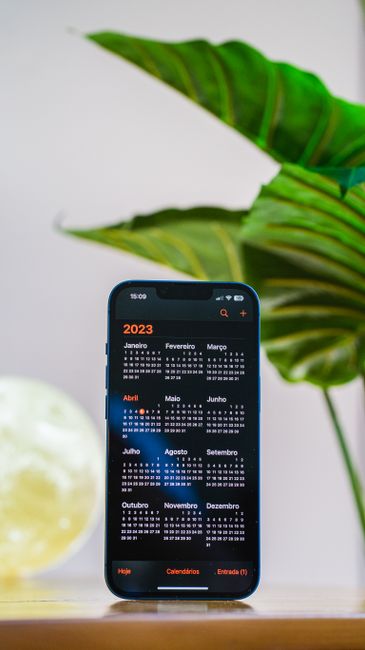
Most official schedule pages offer an 'Add to Calendar' button that generates an ICS file. Once you click this, your phone or desktop calendar app will import every game date and time automatically. This is the most efficient way to manage your viewing. If the game time changes for a prime-time slot, your calendar will usually reflect that change without you needing to take any action. It is a one-time setup that keeps your personal commitments organized around the team's needs.
Can I filter out unwanted game notifications?
Too many alerts can become a distraction. Instead of using a generic sports app that pings you for every league update, use your phone’s built-in focus modes. Go to your settings menu and restrict notifications to only the Rams' official game times. You can set these alerts to trigger one hour before kickoff, which gives you enough time to settle in. By limiting the scope, you avoid the digital noise that often comes with high-traffic sports reporting.
What is the downside of using third-party schedule apps?
Many third-party apps promise a better interface, but they come with a hidden cost. They often require extensive permissions to track your location or browsing habits to sell to advertisers. According to common privacy disclosures for free sports apps, these companies monetize your user data to keep their operations running. You should check the app permissions on your device before installing one. If an app asks for access to your contacts or camera, it is likely doing more than just tracking football scores.
How do I avoid spoilers on social media?
If you cannot watch a game live, the internet becomes a minefield of spoilers. Use the mute function on your social media platforms to hide terms like 'Rams score' or 'touchdown' during the broadcast. Every major platform allows you to mute specific words for a set duration, such as 24 hours. This simple step keeps the outcome of the game a surprise until you can watch the recording. It is the only way to enjoy a delayed game without having the final result ruined by an algorithm.
How do I watch games without cable?
Streaming services have replaced traditional cable for most viewers. You need to identify which broadcast networks hold the rights to the specific Rams games on your schedule. Often, a combination of a digital antenna for local stations and a subscription to a sports-focused streaming platform covers the majority of the season. Check the NFL website for a list of authorized broadcast partners in your specific zip code. This ensures you are not paying for services that do not actually carry your local team's games.
Frequently asked questions
You can sync the Rams schedule by visiting the official NFL schedule page, selecting the 'Add to Calendar' button, and choosing Google Calendar. This will prompt a sync request that adds all game dates and times to your primary calendar.
Yes, if you use an official subscription-based calendar link (iCal feed), your calendar will automatically reflect any changes to kickoff times or dates made by the NFL throughout the season.
Yes, syncing the official NFL schedule to your smartphone via an iCal feed is free. Be cautious of third-party apps that may require subscriptions or collect unnecessary personal data.