Surface Laptop Hardware Problems: 3 Design Changes Microsoft Needs
- The Surface Laptop requires better port variety for professional workflows.
- Soldered internal components limit the lifespan of your investment.
- Display quality must match the premium price tag consistently.
- Battery life performance often falls short of real-world usage claims.
Why is Surface Laptop repairability so limited?
Microsoft must prioritize port versatility, user-serviceable components, and display consistency to remain a viable choice for power users. If you are shopping for a premium Windows machine, the current Surface Laptop series often forces you to choose between sleek design and necessary utility. Paying a premium price for a device that lacks essential legacy ports or restricts internal upgrades is a hard sell. For the next iteration, expect Microsoft to address these specific hardware bottlenecks to justify their high-tier pricing. If they fail to pivot, you are better off looking at competitors who offer more flexibility for your money. You deserve hardware that adapts to your needs, not the other way around.
Does the Surface Laptop port selection meet power user needs?
You likely carry more than one cable in your bag. Despite this, the Surface Laptop often ships with a minimal selection of ports, forcing you to buy extra dongles. If you need to connect an older projector or a high-speed external drive, you are often out of luck without a hub. Competitors frequently offer at least one dedicated HDMI port or a mix of USB-A and USB-C slots. Microsoft needs to acknowledge that professional work requires more than a single charging port and one USB-C connection. Adding a standard SD card slot would also benefit photographers who currently rely on external adapters. Until then, you are paying for a premium machine that behaves like an entry-level thin-and-light.
How can Microsoft improve Windows laptop hardware design?
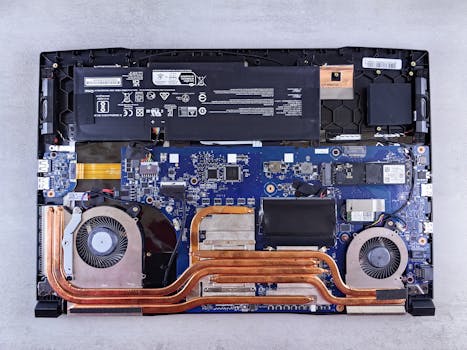
Repairability is a major pain point for the current lineup. According to iFixit teardowns, many internal components are soldered directly to the motherboard. This means you cannot swap out your RAM or storage if your needs change over time. If your battery dies after years of use, replacing it is often a complex process that risks damaging the chassis. You should expect the freedom to upgrade your own machine. When a laptop costs over $1,200, users should not be forced into buying a whole new unit just because their storage drive reached capacity. Microsoft must adopt modular internal designs to improve the longevity of your hardware.
Why is there a growing demand for user-serviceable laptop components?
The Surface line is famous for its high-resolution touch displays. However, refresh rates vary wildly across the series. If you are working on a professional display, you should expect at least 120Hz for fluid scrolling and movement. Some models still ship with 60Hz panels, which feels outdated at this price bracket. Color accuracy is another area where consistency matters. If you edit photos, you need a display that covers 100% of the sRGB gamut reliably. Microsoft must standardize high-refresh, color-accurate panels across the entire range. If they continue to gate high-end features behind the most expensive configurations, you are essentially paying for a mid-range experience.
How does Surface Laptop battery life compare to industry standards?
Advertised battery life rarely matches your actual experience during a busy workday. Microsoft often cites laboratory tests that assume minimal screen brightness and light browser usage. In reality, you are likely running multiple apps, video calls, and background processes. If you cannot get through a standard eight-hour shift without reaching for the charger, the hardware is failing its core purpose. The next iteration needs to optimize power consumption more effectively. Until they address the thermal throttling that occurs under load, your battery will continue to drain faster than it should. You need a device that stays mobile for the entire day.
Should I wait for a hardware refresh?
If your current laptop is functional, waiting is the best strategy. Microsoft tends to iterate slowly, meaning major improvements happen in cycles rather than annually. Check the official Microsoft support pages for the current model release date to gauge when a successor might arrive. If you require a device today, compare the Surface against options from manufacturers that prioritize user-replaceable storage. Don't settle for a machine that limits your workflow just for the sake of a slim profile. Sometimes, the better choice is a slightly heavier laptop that offers more ports and easier maintenance.
Frequently asked questions
Historically, Surface Laptops have received low repairability scores due to the extensive use of adhesives and non-modular components, making it difficult for users to replace parts like the battery or SSD.
Many power users find the Surface Laptop port selection insufficient, as it often lacks a variety of legacy ports and high-speed connectivity options, frequently forcing users to rely on external dongles.
While Surface Laptops offer competitive battery life for general office tasks, they often fall short of the endurance required for intensive professional workflows compared to the latest ARM-based Windows laptops or Apple Silicon devices.
Microsoft has begun moving toward more repairable designs in recent iterations, but the company has yet to fully commit to the modular, user-serviceable standards demanded by professional and enterprise customers.