How to Buy PS5 and Accessories from PlayStation Direct
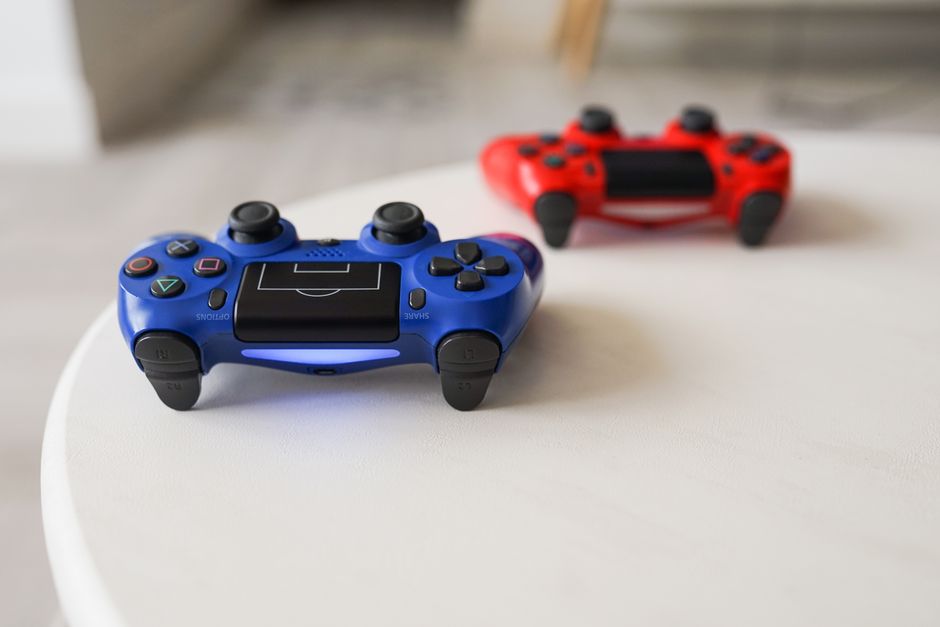
- You must sign in with a valid PlayStation Network account to complete purchases.
- The store offers exclusive bundles often not found at third-party retailers.
- Orders require a physical shipping address and cannot be sent to PO boxes.
- Shipping costs vary based on your membership status and selected delivery speed.
What is the PlayStation Direct store?
PlayStation Direct is Sony's official online store where you can buy consoles, controllers, and games straight from the manufacturer. To make a purchase, you must sign in with your PlayStation Network account. Start by visiting the official store website and clicking the sign-in button at the top right corner of the page. If you do not have an account, you will need to create one before adding items to your cart. Once signed in, you can browse available hardware and software. The site simplifies the buying process by removing middleman retailers, which often means you get access to specific bundles or limited-edition hardware drops first.
Do I need a PlayStation Network account to buy hardware?
After finding your desired item, click the Add to Cart button to begin the checkout process. You will need to provide a valid shipping address, as Sony does not ship to PO boxes or military addresses. Review your order summary carefully, as shipping costs depend on your chosen delivery method. Standard shipping is often free for PlayStation Plus members, but non-members usually pay a flat fee starting around $7. Once you confirm your payment details, click the Place Order button to finalize the transaction. Sony will send a confirmation email to the address linked to your PlayStation Network account immediately after the payment processes. If you do not see this email within an hour, check your spam folder or sign into your account dashboard to verify the order status.
How to Order PlayStation Hardware Safely Online
Tracking your package is straightforward once the order leaves the warehouse. Sony provides a tracking number within your account dashboard under the Order History section. You can use this number on the courier's website to see estimated arrival times. Be aware that high-demand items, such as new console releases, often require a signature upon delivery to prevent theft. If you are not home, the courier typically leaves a notice for you to reschedule or pick up the item at a local facility. One trade-off to consider is that return windows can be strict. According to Sony's own documentation, you generally have 30 days to initiate a return for hardware, provided the item is in its original condition and packaging.
Troubleshooting Common PlayStation Direct Issues
Sometimes the store experiences heavy traffic, leading to virtual queues. If you encounter a queue, do not refresh your browser, as this may reset your place in line. Simply wait until the system redirects you to the shopping page. If your payment is declined, verify that your billing address matches the information on file with your bank exactly. Sometimes using a different payment method, such as a digital wallet or a secondary credit card, resolves the issue. If you face persistent errors, contact PlayStation Support through their official help portal. They can verify if your account has any restrictions preventing a purchase.
Add NewsPulse Time as a preferred source on Google
Frequently asked questions
Yes, you must sign in with a valid PlayStation Network account to complete a purchase on the official PlayStation Direct store.
PlayStation Direct offers free standard shipping on eligible orders for PlayStation Plus members. Non-members may be subject to standard shipping fees.
Once your order has shipped, you will receive a confirmation email containing a tracking number. You can use this number on the carrier's website to monitor your delivery status.