How to Calculate Battery Discharge Rate and Remaining Life
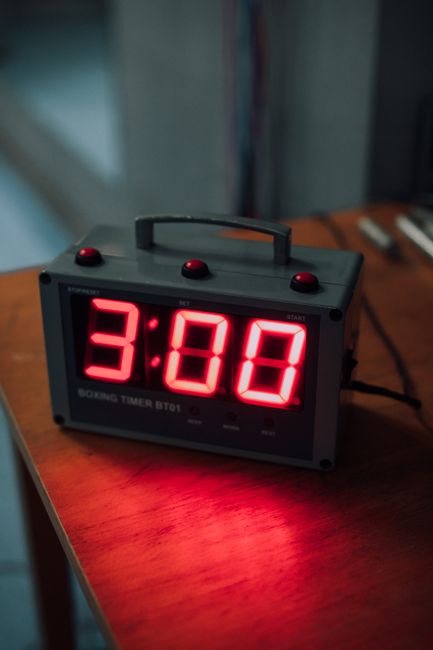
- Half-time is the exact point when 50% of a resource is depleted or processed.
- It provides a more accurate prediction than total capacity for battery and data tasks.
- Usage patterns cause half-time to fluctuate, making it an imperfect but useful estimate.
- Calculating this helps you plan for power needs or project completion times.
Why track your battery discharge rate?
Half-time is the specific moment when exactly fifty percent of a resource has been consumed, processed, or depleted. Whether you are tracking battery discharge rates or finishing a software development sprint, this metric tells you exactly where you stand in a cycle. You can calculate it by tracking your rate of change against your total initial capacity. If your device drops from 100% to 50% in three hours, your half-time is three hours. Knowing this number helps you plan your digital life more effectively. It prevents the panic of sudden shutdowns and allows for realistic scheduling. Stop guessing how much time you have left; start measuring the midpoint instead.
How to predict battery life using the half-time method?
Most users think of battery life in terms of total hours, but half-time is often more practical. If your phone hits 50% battery in four hours, you know you have roughly the same amount of usage remaining before the device dies. According to battery health documentation from manufacturers like Apple and Samsung, this discharge rate is rarely linear. Background processes or screen brightness can skew the numbers significantly throughout the day. So, track your half-time during a standard workday to get a baseline. If you hit that 50% mark by lunch, you know your current settings are too aggressive for a full day of use.
How to improve device power management using discharge data
Calculating your personal half-time is simple math. Start by noting the time when your device or project is at 100%. Then, record the time when it reaches 50%. The difference between those two points is your half-time. For example, if you start a data backup at 9:00 AM and it hits the halfway point at 10:30 AM, your half-time is 90 minutes. You can reasonably expect the remaining half to take a similar amount of time under stable conditions. But remember that external factors often interfere with these calculations.
Why do resource consumption metrics matter for daily use?
The biggest drawback of relying on half-time is that usage is rarely consistent. High-intensity tasks, such as video rendering or gaming, consume power much faster than idle background tasks. If you reach your half-time mark quickly, you might be tempted to stop working, even if your actual energy consumption slows down later. Some analysts argue that linear projections based on half-time can lead to unnecessary anxiety. You might assume your device is failing when you simply hit a period of heavy usage. Always consider your current task load before deciding that your battery or project timeline is broken.
Why does this matter for your software updates?
Software updates often display progress bars that feel arbitrary to the user. Engineers often use half-time metrics to estimate the remaining duration of an install. If an update takes twenty minutes to reach 50%, the system assumes another twenty minutes remain. This is why you often see the 'time remaining' estimate jump around during large downloads. It is adjusting to the changing speed of your network connection. If your connection is unstable, that half-time estimate becomes unreliable very quickly. When in doubt, ignore the timer and focus on the percentage complete instead.
Frequently asked questions
Battery half-time is the duration it takes for a device's battery to discharge to 50% of its current capacity, serving as a reliable metric for predicting total remaining runtime.
To calculate the discharge rate, monitor the percentage drop over a fixed period (e.g., 30 minutes) and divide the percentage lost by the time elapsed to determine your average hourly power consumption.
Yes, high resource consumption—such as running intensive background processes or high-brightness displays—increases the current draw from the battery, which accelerates the discharge rate and shortens the half-time.